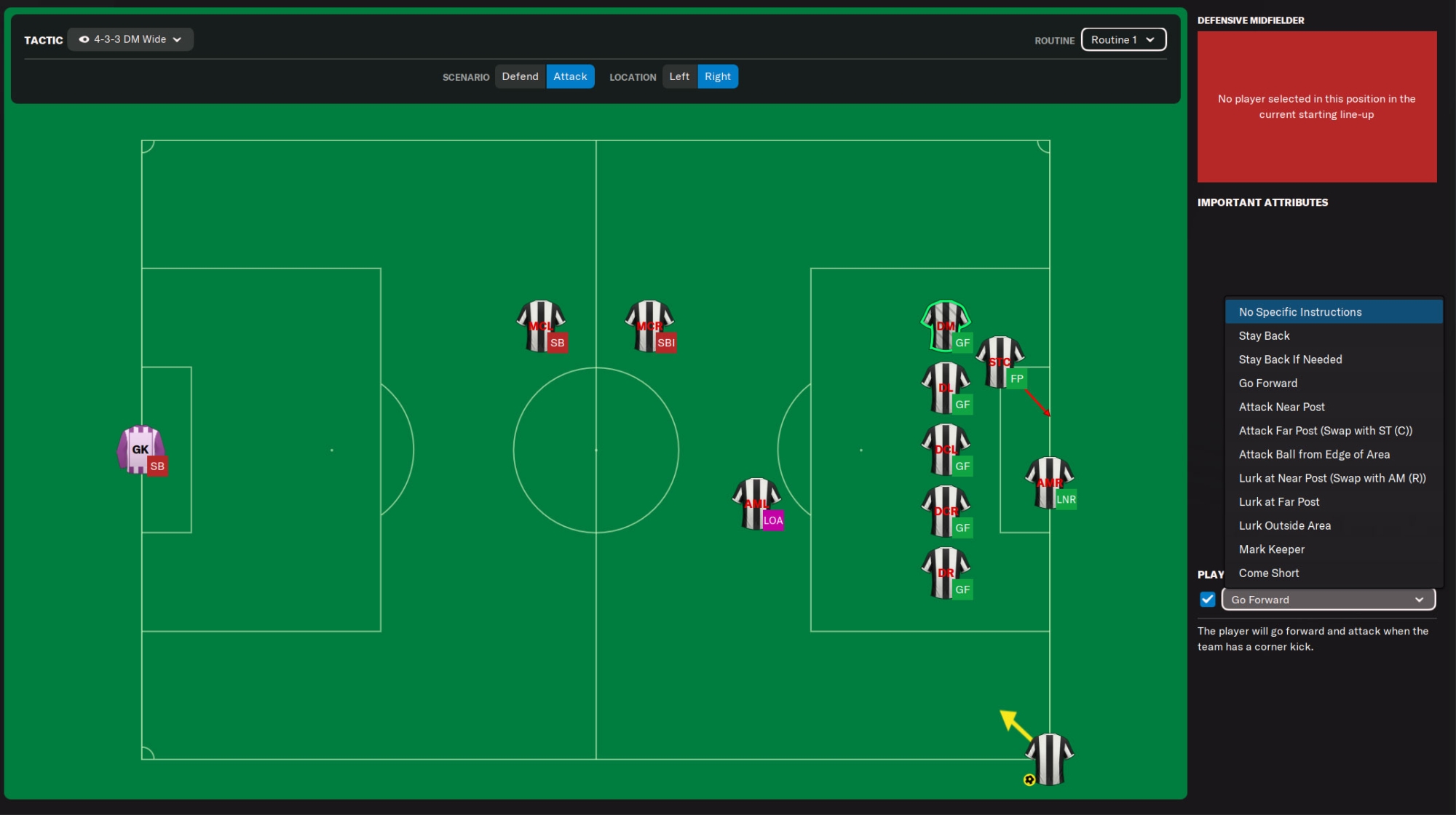
This article will explain how to set attacking corners in Football Manager using the set piece creator. We will run through all the basics and explain all the options you have.
While some people don't bother about their set pieces in Football Manager and simply use the default settings and instructions, most of you use the set piece creator to improve the results from corners. If we look at Football Manager and simulate some seasons, we found out that roughly 15% of the goals during a season are scored from attacking corners, showing the importance of corners (and set pieces).
If you manage to create a good attacking corner setup, you can easily score 15 to 20 goals per season. This could be the difference between a championship or second place and even the difference between avoiding relegation and losing the relegation battle.
Before we start the article we would like to emphasise that this article will NOT show you the best way to set attacking corners. This article is simply meant to explain the basics on how this system works.
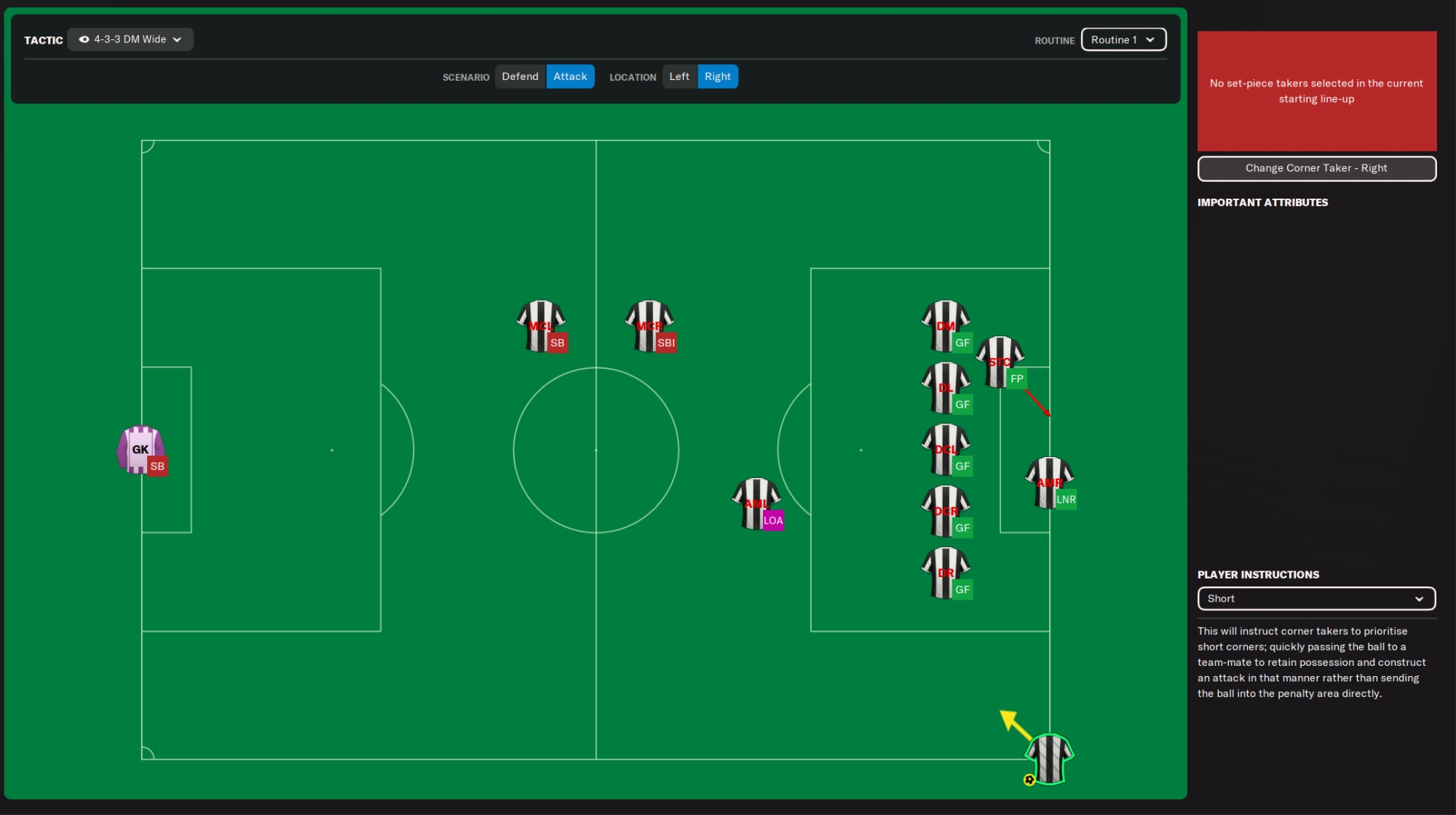
You will be able to find the set piece creator for corners at Tactics > Set Pieces > Corners. Then look for Scenario at the top and activate Attack.
This will take you to the starting screen of the set piece creator. Here you can see the pitch with the standard set of player instructions for attacking a corner.
On the top you can select your tactic (if you use more than one tactic), the scenario (defend or attack), the location (left of right) and the routine you want to edit (more on that later).
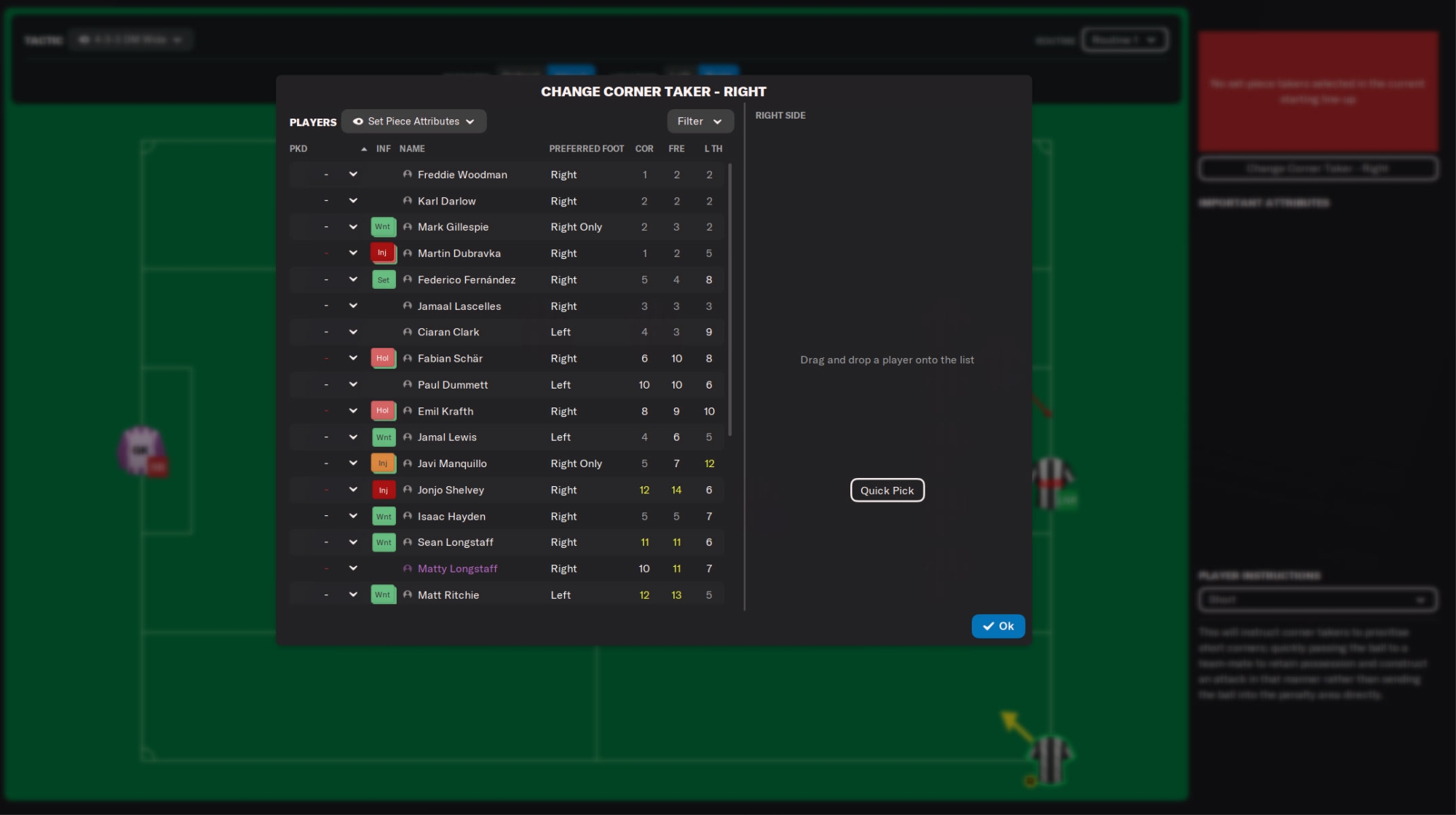
Can be found at Tactics > Set Pieces > Set Piece Takers
One of the first important decisions you will have to make is picking the right corner taker. The game recommends you only look at the Corners attribute, but that is a little short-sighted. A player will also need Technique in order to place the ball in the correct area. You could also look for Player Traits such as Curls the Ball.
Now look at the player's preferred foot. This way you can decide if you want an inswinging or outswinging corner. There isn't a 'best setting' for the type of corner, but keep in mind your player instructions on the pitch should match the type of corner you would like to use. For example an inswinging corner will place the ball closer to the goal and more players in the six-yard box are needed.
Another thing to keep in mind is that the set piece creator requires you to place players into a position based on their playing positions on the field. The player who takes the corner will not be replaced in the corner tactic and his position on the pitch will not be used. It is therefore advised to pick corner takers that do not hold a key position in your attacking corner tactic.
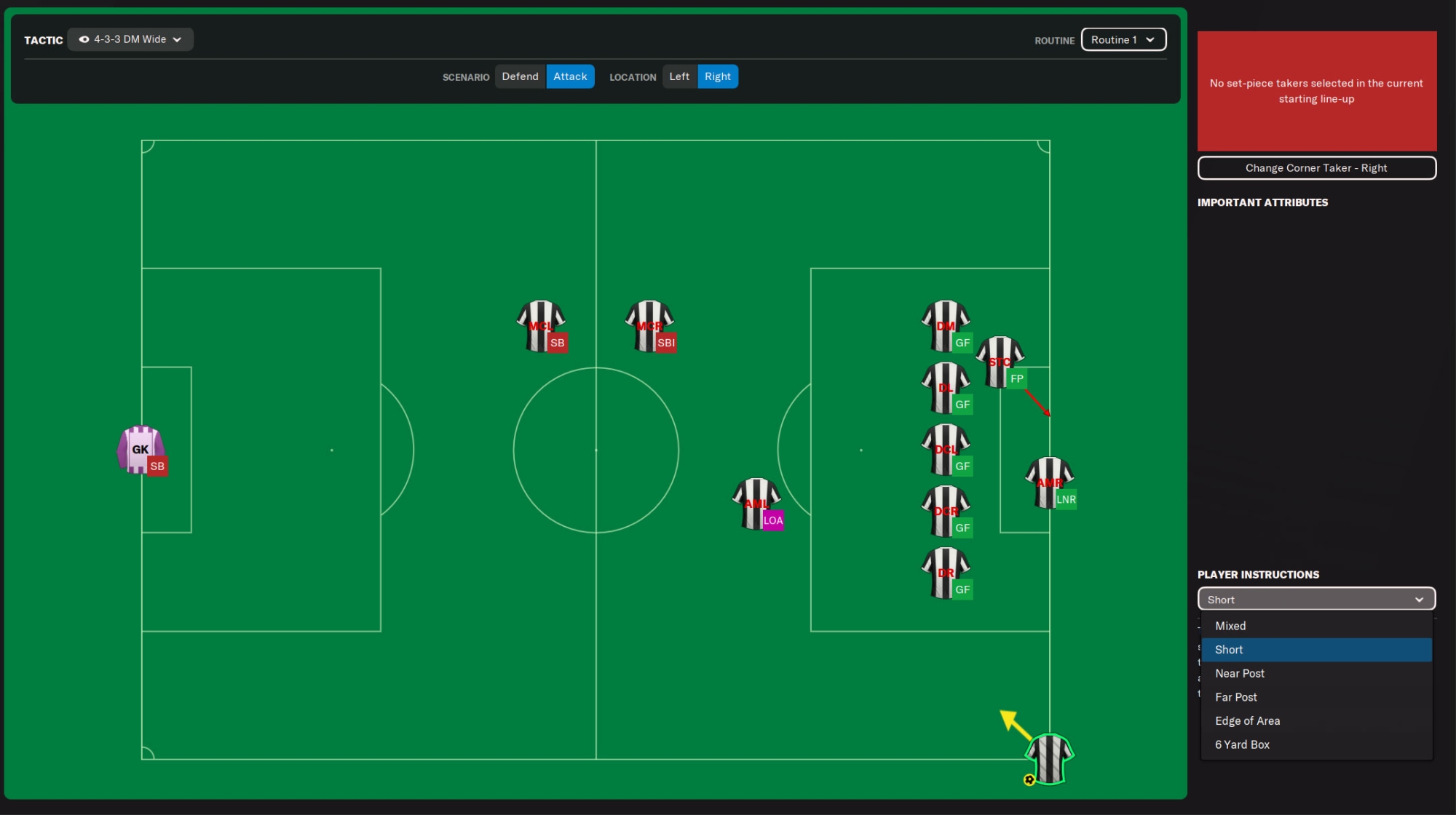
You have the following options to select from:
Importance of Attacking Corners
While some people don't bother about their set pieces in Football Manager and simply use the default settings and instructions, most of you use the set piece creator to improve the results from corners. If we look at Football Manager and simulate some seasons, we found out that roughly 15% of the goals during a season are scored from attacking corners, showing the importance of corners (and set pieces).
If you manage to create a good attacking corner setup, you can easily score 15 to 20 goals per season. This could be the difference between a championship or second place and even the difference between avoiding relegation and losing the relegation battle.
Building Attacking Corners
Before we start the article we would like to emphasise that this article will NOT show you the best way to set attacking corners. This article is simply meant to explain the basics on how this system works.
You will be able to find the set piece creator for corners at Tactics > Set Pieces > Corners. Then look for Scenario at the top and activate Attack.
This will take you to the starting screen of the set piece creator. Here you can see the pitch with the standard set of player instructions for attacking a corner.
On the top you can select your tactic (if you use more than one tactic), the scenario (defend or attack), the location (left of right) and the routine you want to edit (more on that later).
Set Piece Takers
Can be found at Tactics > Set Pieces > Set Piece Takers
One of the first important decisions you will have to make is picking the right corner taker. The game recommends you only look at the Corners attribute, but that is a little short-sighted. A player will also need Technique in order to place the ball in the correct area. You could also look for Player Traits such as Curls the Ball.
How to select your corner taker
Add the column Technique to the Set Piece taker selection screen and then simply sort the columns (tip: use hold shift and tap multiple columns you want to sort). Then simply check the players who have the best attributes. However, you should also take into consideration that the best corner taker could also be your best header or finisher.Now look at the player's preferred foot. This way you can decide if you want an inswinging or outswinging corner. There isn't a 'best setting' for the type of corner, but keep in mind your player instructions on the pitch should match the type of corner you would like to use. For example an inswinging corner will place the ball closer to the goal and more players in the six-yard box are needed.
Another thing to keep in mind is that the set piece creator requires you to place players into a position based on their playing positions on the field. The player who takes the corner will not be replaced in the corner tactic and his position on the pitch will not be used. It is therefore advised to pick corner takers that do not hold a key position in your attacking corner tactic.
Set Piece delivery options
On the set piece creator screen click the corner taker. You should then see the menu on the right change and this will give you the options for the taker.You have the following options to select from:
Mixed
This will instruct the corner taker to mix his delivery and not stick to one strategy. This could be a handy option if you want to surprise your opponent with each corner, but we feel you should avoid this option. You shouldn't trust the judgement of the AI and always rely on your own choices.Short
This will instruct the corner taker to take a short corner. He will pass the ball (quickly) to a nearby teammate to try and deliver the ball in a different way than a corner. This is a useful option if you like to surprise your opponent as this could lead to a cross, dribble, back pass or simply a way to run down the clock to stall time.Near Post
This will instruct the taker to place his corner at the near post. A good instruction if you have a great header and instruct him to attack the first post.Far Post
This will instruct the taker to place his corner at the far post. A good instruction if you have a great finisher and instruct him to attack the far post.Edge of Area
This will instruct the corner taker to look for a player just outside of the penalty area. That particular player could then get a shot on goal or find a teammate with a short pass into the box.Six-yard Box
This will instruct your corner taker to aim for the six-yard box and into the goalkeeper area. This delivery style is one of the most used in Football Manager but it is also one of the least successful one. Most of the time this area is packed with defenders and it will allow a good goalkeeper to catch the ball or punch it away out of danger.