


Last edited:
EA has released a ton of new info for Battlefield Portal — Battlefield 2042's mode where players can concoct their own playlists and more! Kicking things off, there's a Battlefield Portal new trailer that features Arica Harbor, El Alamein, and Battle of the Bulge!
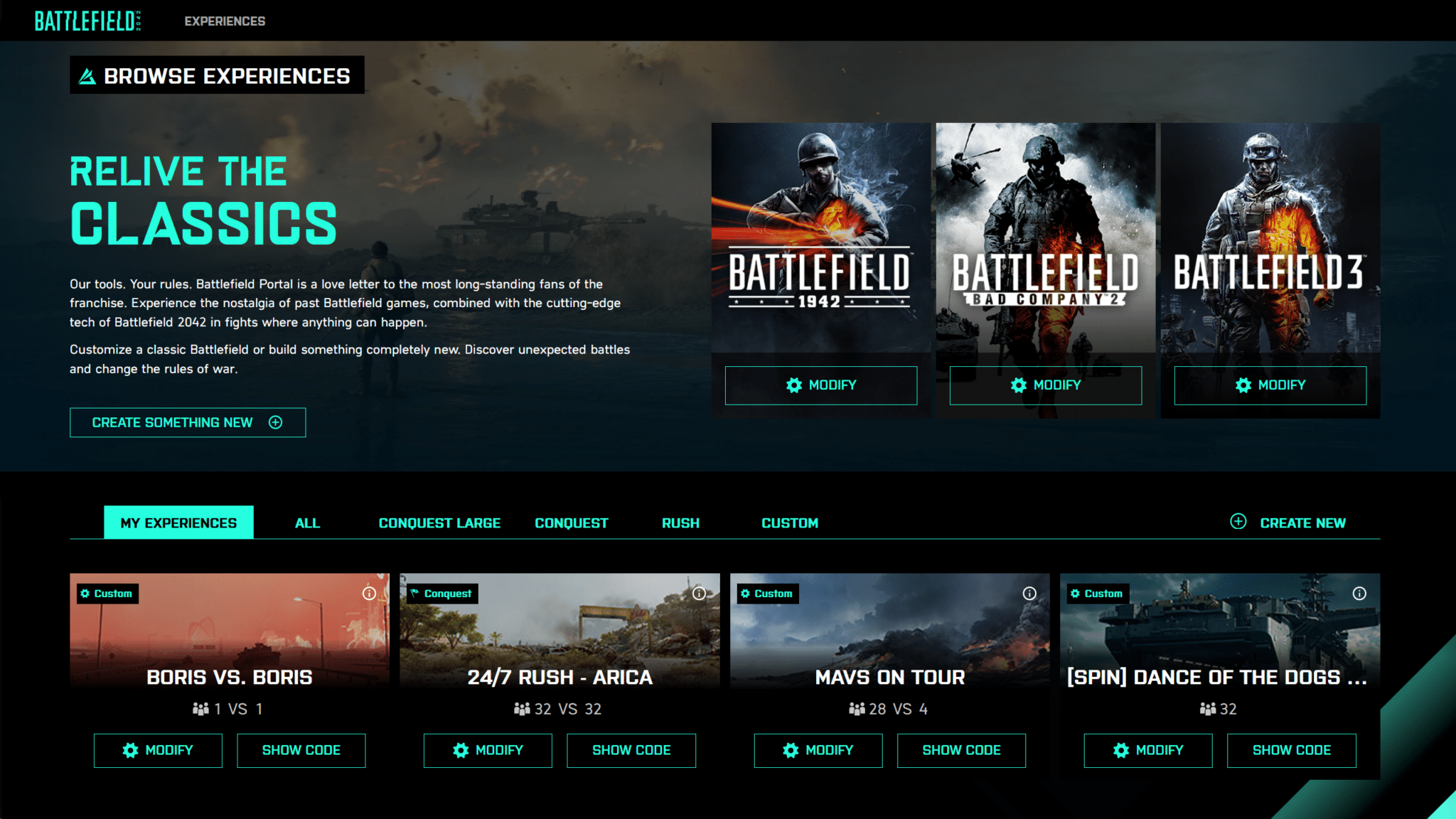
Check it out in action, and then dive into the info-filled Battlefield Portal info dump where game modes, maps, customizations and more are revealed!
Battlefield Portal Overview:
Game Mode
Your first choice is deciding what Game Mode you want to use as the basis of your experience. At launch, you can choose from:
Map Rotation
If you're picking Conquest Large, you'll be able to choose from all of our 128 player Maps in Battlefield 2042, and if you're picking either Conquest or Rush, you'll be able to also add any of Battlefield Portals classic maps into your rotations.
If you're instead selecting one of our Rules Editor enabled templates of FFA, or TDM, you'll also have the option to choose from predefined smaller variants of our existing maps, providing you with more variety, and more opportunity to find a map playstyle that best suits your vision

Game Mode Details
Before you get into applying your modifiers, the Core section of the Builder invites you to change the fundamental rules of your game mode. If you have your mode set on the Conquest ruleset, you can make adjustments to the maximum number of human players you want in your experience and simultaneously determine if you want that to be an asymmetrical experience or not. If you choose to keep that number below 128, you can later decide if you want to add in Bots to your mode up to the overall player limit.
What else you see on these screens will otherwise differ depending on your core ruleset.
In Rush and Conquest, you'll be able to modify the Game Time, the Reinforcement Multiplier, the Reinforcements removed per kill, as well as the Per-Squad Character limit (up to a maximum of 4), and the rules for Squad Spawning.

In TDM, and FFA – you won't need to edit all of the same options, so you'll see a more streamlined set of sliders, toggles, and menus that focus on what makes the most sense for those modes. If you want to mix things up further, the Rules Editor will be the place to go, and you'll find plenty more to tweak about the experience in the second stage of the Builder.
MODIFIERS
Gameplay
If you're really keen to personalise the core ruleset, there are many options to choose from across the Modifiers section. Starting with Gameplay, you'll find simple options that enable you to set on or off the following:

All of these options can be made asymmetric as well, so if you're looking to give one faction an advantage over the other, you can start to determine some of those effects here.
Soldier
With the Core of the Gameplay designed, you can then start to manage the behaviour of Infantry on the servers. There are 9 on/off toggles at play here:
Modifiable Multipliers are tweakable in the areas of Fall Damage, Move Speed, Maximum Health, Health Regeneration Rate, and Redeploy Delay.
The Man-Down type field will allow you to choose from Downed, Crawl (unique to Hazard Zone), and Instant Death.

Check it out in action, and then dive into the info-filled Battlefield Portal info dump where game modes, maps, customizations and more are revealed!
Battlefield Portal Overview:
Game Mode
Your first choice is deciding what Game Mode you want to use as the basis of your experience. At launch, you can choose from:
- Conquest Large
- Conquest
- Rush
- Free-For-All
- Team Deathmatch
Map Rotation
If you're picking Conquest Large, you'll be able to choose from all of our 128 player Maps in Battlefield 2042, and if you're picking either Conquest or Rush, you'll be able to also add any of Battlefield Portals classic maps into your rotations.
If you're instead selecting one of our Rules Editor enabled templates of FFA, or TDM, you'll also have the option to choose from predefined smaller variants of our existing maps, providing you with more variety, and more opportunity to find a map playstyle that best suits your vision
Game Mode Details
Before you get into applying your modifiers, the Core section of the Builder invites you to change the fundamental rules of your game mode. If you have your mode set on the Conquest ruleset, you can make adjustments to the maximum number of human players you want in your experience and simultaneously determine if you want that to be an asymmetrical experience or not. If you choose to keep that number below 128, you can later decide if you want to add in Bots to your mode up to the overall player limit.
What else you see on these screens will otherwise differ depending on your core ruleset.
In Rush and Conquest, you'll be able to modify the Game Time, the Reinforcement Multiplier, the Reinforcements removed per kill, as well as the Per-Squad Character limit (up to a maximum of 4), and the rules for Squad Spawning.
In TDM, and FFA – you won't need to edit all of the same options, so you'll see a more streamlined set of sliders, toggles, and menus that focus on what makes the most sense for those modes. If you want to mix things up further, the Rules Editor will be the place to go, and you'll find plenty more to tweak about the experience in the second stage of the Builder.
MODIFIERS
Gameplay
If you're really keen to personalise the core ruleset, there are many options to choose from across the Modifiers section. Starting with Gameplay, you'll find simple options that enable you to set on or off the following:
- Friendly Fire
- Extreme Weather Events (applicable maps only)
- Stationary Weapon Emplacements
- Classic Soldier Weapon Tuning
- Aim Assist
- Aim Assist Zoom Snap
All of these options can be made asymmetric as well, so if you're looking to give one faction an advantage over the other, you can start to determine some of those effects here.
Soldier
With the Core of the Gameplay designed, you can then start to manage the behaviour of Infantry on the servers. There are 9 on/off toggles at play here:
- Prone
- Strafe while sprinting
- Sprint
- Aim Down Sights
- Health Regeneration
- Traversal Sprint
- Slide
- Squad Revive
Modifiable Multipliers are tweakable in the areas of Fall Damage, Move Speed, Maximum Health, Health Regeneration Rate, and Redeploy Delay.
The Man-Down type field will allow you to choose from Downed, Crawl (unique to Hazard Zone), and Instant Death.


