Last edited:
Whether you're signing world-class Wonderkids, looking to offload players that no longer make the grade or anything in-between, squad building is integral to every Football Manager career.
Sports Interactive heard the feedback in recent years that selling players can prove a frustrating experience – as it often is for many clubs and players during every transfer window. With that in mind, the SI team considered what extra tools could they have in FM24 for players and AI managers to help with this aspect of the game.
As with so many areas of Football Manager, SI leaned on our industry access to better understand how clubs look to solve the problem of offloading players in the professional game and then applied that insight to the game world.
Selecting this takes you through to a quick chat with the player's agent. As manager, you have three response options that each carry a different tone. 'Desperate' demonstrates a real urgency to moving the player on, while 'Keen' indicates that you'd be interested in selling but only at the right price. 'Curious' is there if you're just exploring your options.
Picking one of the options will trigger your interest in selling the player. If they're happy to move, the agent will let you know the player's current market value and the clubs most interested in their services.
However, if your intention to sell catches the player by surprise and they don't want to leave, the agent will refuse to engage in attempts to sell them and you may need to go over their head. Be careful though because as with everything in Football Manager, your actions have consequences.
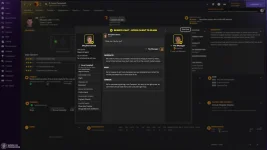
After your initial response, you will have the choice of asking the agent to proceed and begin sourcing a move, or you can reconsider your options if you're not happy with the potential price or the clubs with rumoured interest. If your player is happy to leave but there are no takers, the agent will explain why.
Following your conversation with the agent, the price tag on the player's profile will update to reflect the market value discussed. This new value initially displays in a different colour, and will remain active on the player's profile until it expires. This period of time varies based on where you are in the season – in/out of the transfer window, during transfer deadline day and so on.
It's important to note that while this new functionality will give you better clarity on potential fees for the players you want to sell, it doesn't guarantee a sale every time.
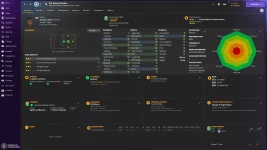
SI also made some upgrades to the 'Ask Agent About Availability' quick chat first introduced in FM22 to help with trying to buy a player. Now, minimum fee release clauses and expected contract lengths are included in a player's bullet point list of demands. You can also contest some of these items, either working with the agent to seek a more favourable release clause or asking for all demands to remain up for discussion until you enter formal negotiations.
Sports Interactive heard the feedback in recent years that selling players can prove a frustrating experience – as it often is for many clubs and players during every transfer window. With that in mind, the SI team considered what extra tools could they have in FM24 for players and AI managers to help with this aspect of the game.
As with so many areas of Football Manager, SI leaned on our industry access to better understand how clubs look to solve the problem of offloading players in the professional game and then applied that insight to the game world.
Using Agents for better transfer market insight
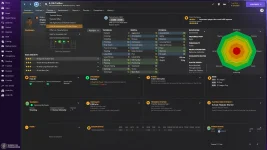
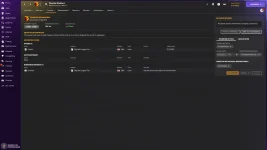
In an attempt to give you better clarity of how much you could get for your players when trying to sell them, SI added a new 'Ask Agent About Market Interest' option to the Transfer dropdown on player profiles.Selecting this takes you through to a quick chat with the player's agent. As manager, you have three response options that each carry a different tone. 'Desperate' demonstrates a real urgency to moving the player on, while 'Keen' indicates that you'd be interested in selling but only at the right price. 'Curious' is there if you're just exploring your options.
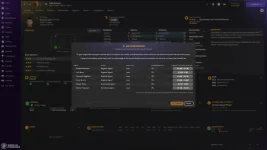
Picking one of the options will trigger your interest in selling the player. If they're happy to move, the agent will let you know the player's current market value and the clubs most interested in their services.
However, if your intention to sell catches the player by surprise and they don't want to leave, the agent will refuse to engage in attempts to sell them and you may need to go over their head. Be careful though because as with everything in Football Manager, your actions have consequences.
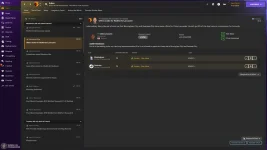
After your initial response, you will have the choice of asking the agent to proceed and begin sourcing a move, or you can reconsider your options if you're not happy with the potential price or the clubs with rumoured interest. If your player is happy to leave but there are no takers, the agent will explain why.
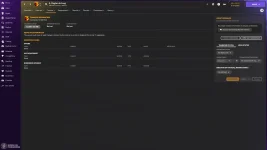
Following your conversation with the agent, the price tag on the player's profile will update to reflect the market value discussed. This new value initially displays in a different colour, and will remain active on the player's profile until it expires. This period of time varies based on where you are in the season – in/out of the transfer window, during transfer deadline day and so on.
It's important to note that while this new functionality will give you better clarity on potential fees for the players you want to sell, it doesn't guarantee a sale every time.
SI also made some upgrades to the 'Ask Agent About Availability' quick chat first introduced in FM22 to help with trying to buy a player. Now, minimum fee release clauses and expected contract lengths are included in a player's bullet point list of demands. You can also contest some of these items, either working with the agent to seek a more favourable release clause or asking for all demands to remain up for discussion until you enter formal negotiations.